 Merijn Schering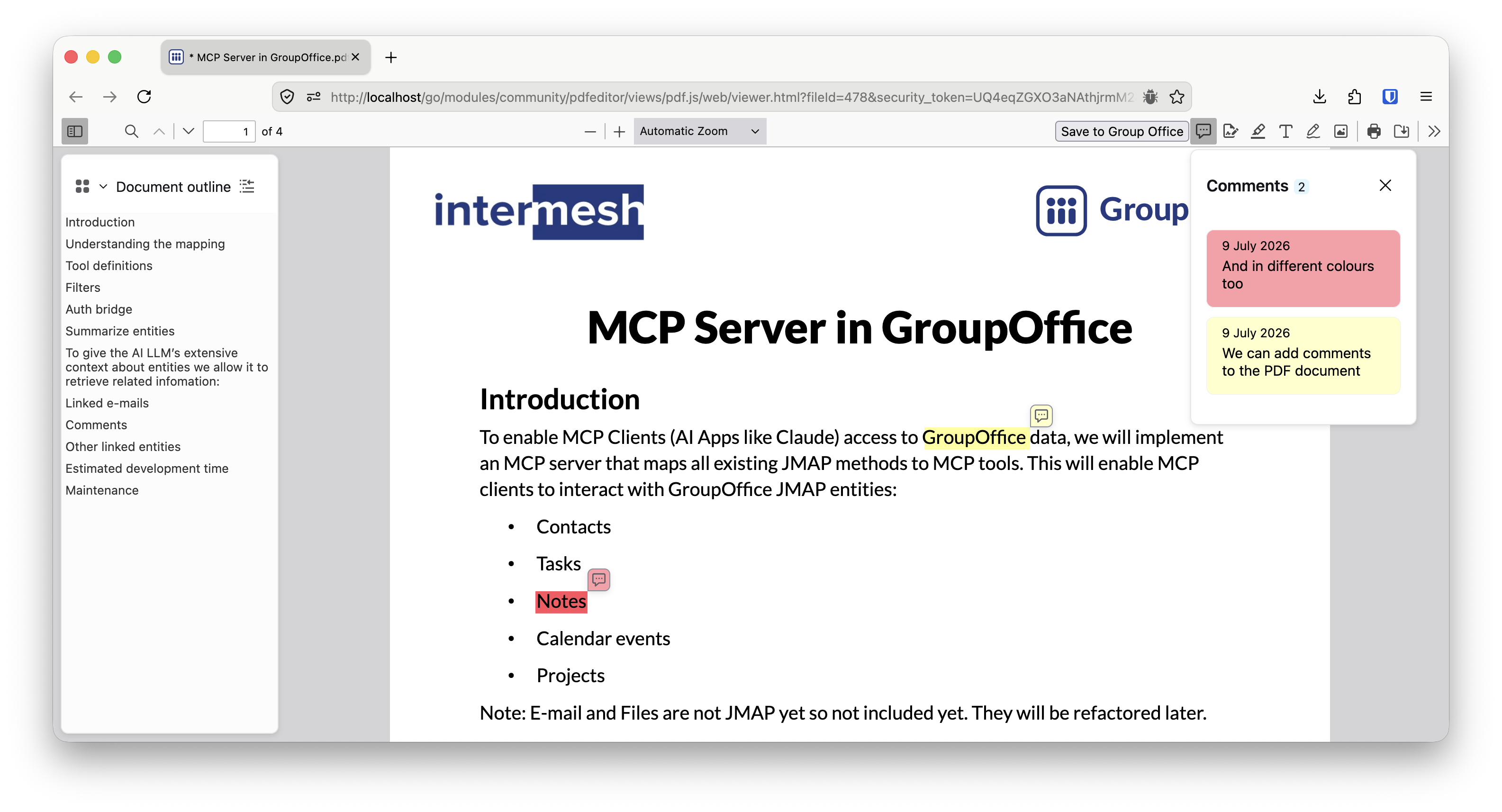


We often got questions from customers if we could add a PDF editing feature in GroupOffice. Instead of using another tool for it, wouldn't it be great if we could do this in GroupOffice directly?
That's why we made a new PDF editor module. From the files module in GroupOffice you can now open a PDF document in the PDF editor directly. It features:
Adding images
Any image you like but also think of signatures.
Redacting
You can hide sensitive information my blacking it out.
Add comments and text boxes
Mark text and leave comments inline. You can also add text boxes to the PDF.
Draw
You can also draw on it with the pencil tool.
Getting started
To get started go to System settings -> Modules and install the new module. After installation it should open PDF documents by default.